
How AI Is Changing the Way Developers Build Software
Software development has always evolved alongside technology. Programming languages have become more powerful, cloud platforms have simplified infrastructure, and development frameworks have made it easier to build complex applications.
Now, artificial intelligence is changing the development process itself.
AI is no longer limited to answering programming questions or suggesting the next line of code. Modern AI coding tools can understand repositories, generate features, explain unfamiliar code, identify bugs, create tests, refactor applications, and work through multi-step development tasks.
This is creating a significant shift in how developers build software.
Instead of spending most of their time manually writing every piece of code, developers can increasingly describe what they want, guide AI through implementation, review the generated work, and focus their attention on architecture, product requirements, security, and quality.
From Code Completion to AI Coding Agents
One of the biggest changes is the evolution of AI coding tools.
Early coding assistants primarily focused on autocomplete. A developer would start writing a function, and the AI would suggest the next few lines.
That remains useful, but today’s AI systems can do much more.
AI coding agents can inspect multiple files, understand relationships between components, modify code, execute commands, run tests, and respond to errors. Instead of asking an AI tool for a small code snippet, a developer can give it a broader objective.
For example, a developer might ask an agent to investigate a broken login workflow. The agent could search the repository, identify the relevant authentication files, propose a solution, implement the changes, and run tests.
The developer then reviews the result.
This changes AI from a code suggestion tool into a development collaborator.
Faster Prototyping and Experimentation
Building the first version of an application can require significant effort.
Developers traditionally need to create project structures, build interfaces, connect databases, implement authentication, and write initial business logic before they have something meaningful to demonstrate.
AI can shorten this process.
Developers can describe an application concept in natural language and use AI to generate an initial implementation.
For startups and product teams, this can make experimentation much faster. Instead of spending weeks developing an idea before testing it with users, teams can create an early prototype and collect feedback sooner.
This does not mean AI automatically produces a production-ready application. The first version may still require significant engineering work.
The important advantage is that AI can reduce the time needed to move from idea to working prototype.
Developers Can Explore Large Codebases Faster
Large software projects can be difficult to understand, particularly when developers join an existing team or inherit an older application.
Finding where a particular feature is implemented may require searching through hundreds or thousands of files.
AI coding tools can help developers navigate these codebases.
A developer can ask questions about how a particular feature works, where a database query originates, or which components depend on a particular function.
AI can summarize relevant sections and help developers identify relationships between files.
This does not replace reading the source code, but it can reduce the amount of time spent searching for the right starting point.
For developers working with unfamiliar systems, this can be one of the most practical applications of AI.
AI Is Changing How Developers Write Tests
Testing is essential, but writing comprehensive tests can be time-consuming.
AI can assist by generating unit tests, integration tests, test data, and edge-case scenarios based on existing code.
For example, after creating a function that processes customer orders, a developer can ask AI to generate tests for successful orders, invalid inputs, missing information, unusual values, and failure conditions.
The developer still needs to review those tests.
AI-generated tests can contain incorrect assumptions or fail to cover important business requirements. However, they can provide a useful starting point and encourage developers to think about scenarios they might otherwise overlook.
AI can also help analyze failing tests and suggest potential fixes.
Debugging Is Becoming More Interactive
Debugging has traditionally involved reading logs, reproducing problems, inspecting variables, searching documentation, and tracing code manually.
AI can bring these activities into a more conversational workflow.
A developer can provide an error message and relevant code, ask what might be causing the problem, and receive potential explanations.
With agentic tools that can inspect repositories and execute commands, AI can go further by investigating the problem directly.
It may identify a suspicious function, modify the implementation, run the relevant tests, and determine whether the change resolves the issue.
This can reduce the time spent on repetitive debugging steps.
However, developers should still verify the root cause rather than accepting the first explanation generated by an AI system.
AI Helps With Refactoring
Maintaining software often requires changing existing code without altering its intended behavior.
Refactoring can involve renaming functions, reorganizing modules, simplifying complex code, updating APIs, or replacing outdated patterns.
These tasks can be tedious when performed manually across a large project.
AI coding agents can assist with multi-file refactoring by identifying related references and applying consistent changes.
This can be especially helpful when a developer needs to modernize an older codebase.
The important requirement is testing. A large refactor can introduce subtle problems even when the changes appear straightforward.
Documentation Becomes Easier to Maintain
Software documentation is often neglected because developers prioritize implementation work.
AI can reduce some of the effort involved.
Developers can use AI to generate API documentation, explain functions, summarize architectural changes, create README content, or update comments when the underlying implementation changes.
This can make it easier to keep documentation closer to the actual code.
However, documentation should still be reviewed by humans. AI may describe what code appears to do without understanding the business reason behind it.
The best results usually come when AI handles the first draft while developers verify accuracy.
AI Is Improving Developer Productivity, Not Eliminating Developers
One of the biggest misconceptions about AI in software development is that developers will simply become unnecessary.
In reality, AI changes the distribution of work.
Developers may spend less time writing repetitive code but more time reviewing generated implementations, defining requirements, designing systems, and validating AI output.
This makes software engineering more focused on decision-making.
A developer who understands architecture, security, databases, performance, and product requirements remains valuable even when AI can generate code quickly.
In fact, stronger engineering knowledge can become even more important because developers need to recognize when AI-generated code is incorrect.
Natural Language Is Becoming a Development Interface
Programming languages remain essential, but natural language is becoming another way to interact with development tools.
Developers can increasingly describe desired behavior in plain language.
For example:
“Add a dashboard showing monthly revenue, allow users to filter by date, and make sure administrators can export the results.”
An AI development tool can translate that requirement into code, UI components, database queries, and tests.
This does not eliminate the need to understand programming.
Instead, it creates another layer between human intent and implementation.
Developers who can communicate requirements clearly may be able to accomplish more with AI tools.
AI Is Making Code Review More Important
Faster code generation introduces an important challenge.
When developers write code manually, they generally know why each change was made.
When an AI agent generates a large portion of an implementation, developers may need to review code they did not personally write.
This makes code review increasingly important.
Teams should inspect AI-generated changes, run automated tests, check security implications, and verify that the implementation actually matches the product requirements.
The goal should not be to trust AI blindly.
Instead, AI should accelerate implementation while established engineering practices provide quality control.
Security Remains a Major Concern
AI-generated code can introduce security risks just like human-written code.
An AI model may suggest unsafe authentication logic, mishandle user input, expose sensitive information, or introduce a vulnerable dependency.
Developers therefore need security scanning, dependency management, testing, and careful review.
AI should also be given appropriate permissions.
An autonomous coding agent that can access a repository and execute commands should not automatically receive access to production credentials or sensitive infrastructure.
The principle of least privilege remains important in AI-assisted development.
The Development Workflow Is Becoming More Automated
Traditional development often follows a relatively linear process:
Requirement → design → coding → testing → review → deployment
AI is making this process more iterative.
A developer can describe a task, ask an agent to implement it, review the changes, request modifications, run tests, and repeat the process.
The result is a continuous conversation between the developer and the development environment.
This can make software development feel less like manually assembling individual pieces and more like directing a system toward a desired outcome.
AI and the Future of Software Teams
As AI coding capabilities improve, software teams may change how they organize work.
Developers could increasingly work with multiple specialized agents. One agent might handle implementation, another could generate tests, another could review security issues, and another could update documentation.
This does not necessarily mean teams will need fewer engineers.
Instead, a small team may be able to manage a larger amount of software.
The key challenge will be coordination. Teams will need processes for reviewing AI-generated work, tracking decisions, managing permissions, and ensuring that AI output remains aligned with business goals.
What Developers Should Learn Next
The rise of AI does not mean developers should stop learning traditional programming.
The opposite may be true.
Strong fundamentals in programming, algorithms, databases, networking, system design, testing, and security help developers evaluate AI-generated solutions effectively.
At the same time, developers should learn how to work effectively with AI tools.
This includes writing clear prompts, providing useful context, breaking complex tasks into manageable steps, reviewing generated code, and understanding the limitations of AI models.
The most effective developers are likely to be those who combine strong engineering fundamentals with effective AI collaboration skills.
Final Thoughts
AI is changing the way developers build software by moving assistance beyond autocomplete and into larger parts of the development lifecycle.
Modern AI tools can help developers prototype applications, understand unfamiliar codebases, generate tests, investigate bugs, refactor projects, create documentation, and implement multi-step features.
The biggest change is not simply that AI can write code faster.
It is that developers can increasingly describe what they want software to accomplish and use AI to handle more of the implementation required to get there.
However, human expertise remains essential. Developers still need to make architectural decisions, validate requirements, review code, protect applications from security risks, and ensure that the final product works for real users.
The future of software development is therefore unlikely to be humans versus AI.
It is more likely to be developers working with AI systems that can handle increasingly large portions of the development process.
As these tools continue to improve, the developers who learn how to direct, evaluate, and collaborate with AI may be able to build software faster while spending more of their time on the parts of engineering that require judgment, creativity, and deep technical understanding.
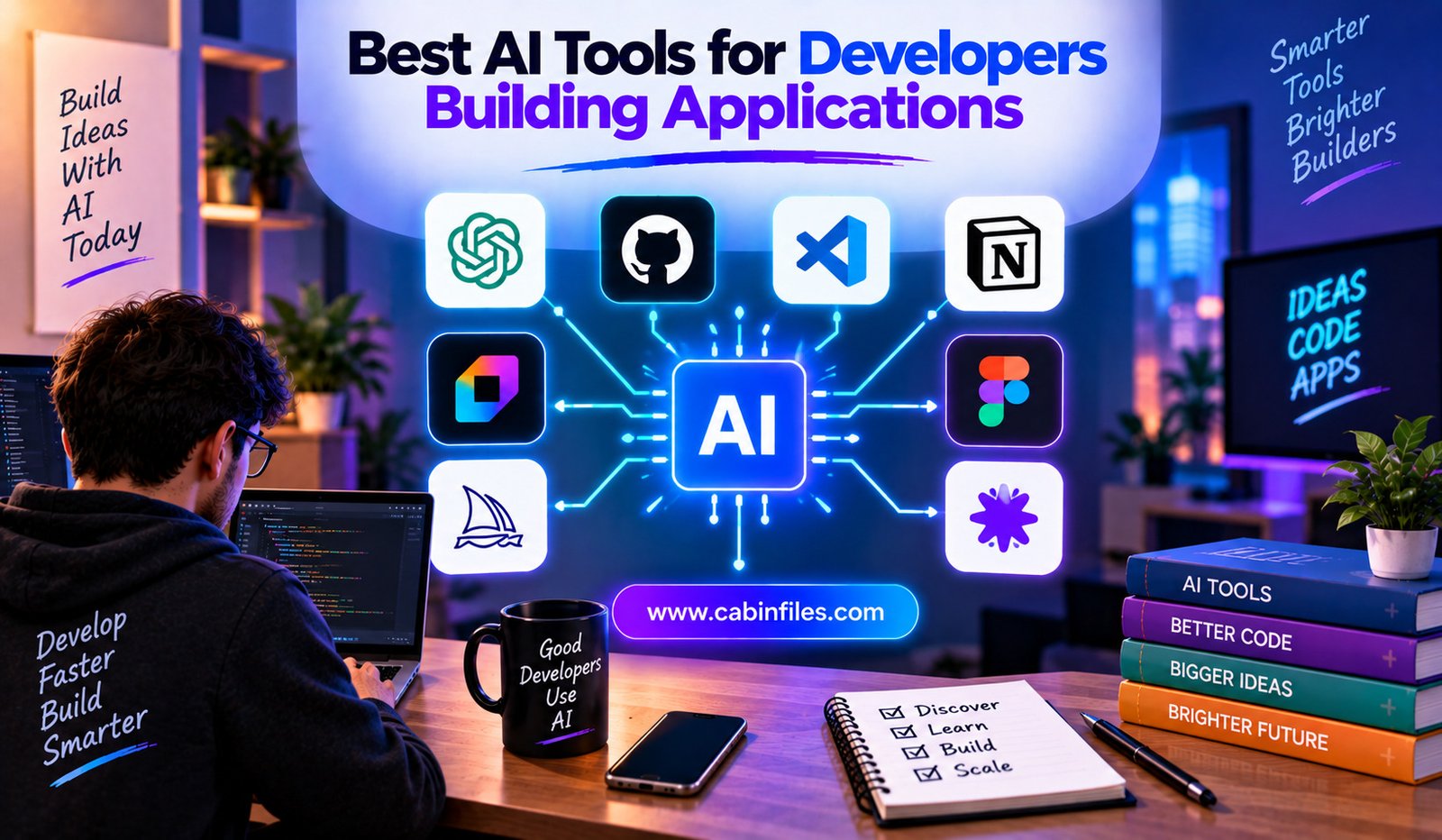
Best AI Tools for Developers Building Applications
Building an application involves much more than writing code. Developers need to plan features, create interfaces, design databases, connect APIs, debug problems, write tests, review changes, and eventually deploy the finished product.
AI is changing many of these steps.
Modern AI development tools can generate code, understand existing repositories, edit multiple files, explain unfamiliar functions, create tests, debug errors, and even build applications from natural-language descriptions. Instead of using AI only as a code-completion tool, developers can now use it as a development partner or autonomous coding agent.
In 2026, the AI coding ecosystem includes AI-first code editors, terminal agents, browser-based application builders, UI generators, and cloud development environments. The challenge is no longer finding an AI coding tool—it is choosing one that matches the way you actually build software.
Here are some of the best AI tools for developers building applications and where each can fit into a modern development workflow.
1. Cursor: AI-First Development Environment
Cursor is an AI-powered code editor designed around software development with AI. It is particularly useful for developers who want AI deeply integrated into their editor rather than relying on a separate chatbot.
Its strength is working with an existing codebase. Developers can ask the AI to understand project files, modify multiple files, refactor code, generate implementations, and help investigate problems.
This makes Cursor useful for building complete applications rather than simply generating isolated code snippets.
For example, a developer working on a React application could ask Cursor to create a new authentication flow and update the relevant components, API calls, and supporting files.
Best for: Developers who want an AI-first editor for multi-file application development.
2. GitHub Copilot: AI Inside Existing Development Workflows
GitHub Copilot remains one of the most familiar AI coding tools. Its major advantage is integration with environments developers already use.
Instead of requiring developers to completely change their workflow, Copilot brings AI assistance into supported editors and GitHub-based development processes.
It can help with code completion, explanations, generating functions, writing tests, debugging, and broader coding tasks.
For teams already using GitHub extensively, this integration can be particularly convenient.
GitHub Copilot is also relevant for organizations that need AI assistance alongside established source-control and collaboration practices.
Best for: Developers and teams that want AI assistance integrated into their existing IDE and GitHub workflow.
3. Claude Code: A Terminal-Based AI Coding Agent
Claude Code takes a different approach from traditional autocomplete tools. It is designed to work from the terminal and interact with a software project as an agent.
Developers can give it larger tasks such as investigating bugs, modifying several files, running commands, or working through a complicated refactoring process.
This makes it particularly useful for developers who are comfortable with command-line workflows.
Claude Code can also be valuable when an application has a large codebase and the developer needs an AI system capable of reasoning across multiple parts of the project.
Current comparisons frequently highlight Claude Code for terminal-first workflows and complex codebase reasoning.
Best for: Developers who prefer terminals and want an agent capable of handling multi-step engineering tasks.
4. OpenAI Codex: Delegating Development Tasks to AI
OpenAI Codex is another option for developers who want AI to perform larger coding tasks.
Rather than limiting AI to suggestions inside an editor, agent-based coding workflows allow developers to delegate tasks and have AI work through the implementation.
This can be useful for activities such as fixing bugs, implementing features, reviewing code, or working on separate development tasks in parallel.
The important shift is from asking AI, “What code should I write?” to asking, “Can you complete this development task?”
That difference makes coding agents particularly interesting for application development.
Best for: Developers who want to delegate well-defined software tasks to AI agents.
5. Replit: Build and Deploy Applications in the Browser
Replit takes a more accessible approach to AI-assisted application development.
Its browser-based environment combines coding, development, and deployment, while its AI capabilities can help users create applications from natural-language instructions.
This can make Replit useful for developers who want to move quickly from an idea to a working prototype without configuring a local development environment.
It is also useful for beginners and small teams experimenting with application ideas.
Instead of spending significant time setting up infrastructure before writing the first feature, developers can start building inside a browser-based environment.
Best for: Rapid prototyping, learning, and developers who prefer an integrated browser-based environment.
6. v0: AI-Powered UI and Application Generation
v0 by Vercel is particularly useful when the visual interface is an important part of the project.
Developers can describe an interface in natural language and use AI to generate frontend components and application screens.
This can significantly reduce the time required to create initial UI concepts.
For example, instead of manually creating a dashboard layout, a developer can describe the desired dashboard and then refine the generated result.
The generated interface can serve as a starting point rather than a final product.
Best for: Frontend development, UI prototyping, dashboards, landing pages, and React-based application interfaces.
7. Windsurf: AI-Assisted Coding With Agent Workflows
Windsurf is another AI-powered development environment focused on agentic coding.
Its approach combines an AI coding assistant with an editor environment, allowing developers to work with project context while asking AI to perform broader changes.
This can be useful when a developer wants assistance that goes beyond autocomplete.
AI-first development environments such as Cursor and Windsurf are particularly relevant for developers who want AI integrated into the editor itself rather than relying entirely on external chat interfaces.
Best for: Developers looking for an AI-native coding environment with agent-style workflows.
8. Amazon Q Developer: Useful for AWS-Based Applications
Developers building applications on Amazon Web Services may find Amazon Q Developer particularly useful.
Its biggest advantage is its connection to the AWS ecosystem.
Application development on AWS can involve services such as Lambda, S3, databases, APIs, authentication, networking, and infrastructure configuration.
An AI assistant that understands the AWS environment can help developers navigate this complexity.
It can assist with coding, troubleshooting, understanding AWS resources, and working with cloud-development tasks.
Best for: Developers building applications heavily connected to AWS services.
9. Tabnine: AI Coding With an Enterprise Focus
Tabnine is another AI coding assistant aimed particularly at organizations concerned with privacy, governance, and control over development data.
For larger companies, choosing an AI coding tool is not only about code-generation quality.
Security policies, deployment options, data handling, access controls, and organizational requirements can become equally important.
Tabnine’s positioning around enterprise development and privacy makes it worth considering for teams with stricter requirements.
Best for: Organizations prioritizing AI coding assistance alongside privacy and enterprise controls.
10. Lovable: Turning Product Ideas Into Applications
Lovable focuses heavily on turning natural-language descriptions into working applications.
Instead of requiring a developer to manually create every initial component, users can describe the desired product and allow AI to generate an application structure.
This approach is particularly useful for prototypes, internal tools, startup MVPs, and early product experimentation.
It can also help developers communicate ideas visually before investing heavily in a full implementation.
Best for: Rapid MVP creation and turning product concepts into functional prototypes.
Choosing the Right AI Tool
There is no single best AI development tool for every developer.
The right choice depends on what you are building and how you prefer to work.
If you spend most of your time inside a code editor, an AI-native editor such as Cursor or Windsurf may be the natural fit.
If you prefer working from a terminal, Claude Code can make more sense.
If your organization already depends heavily on GitHub, Copilot can provide a smoother transition into AI-assisted development.
If you want to build and deploy quickly from a browser, Replit is worth considering.
For UI-focused development, v0 can accelerate the design and implementation of application interfaces.
And if you are primarily working inside AWS, Amazon Q Developer may provide more relevant cloud context.
AI Tools Are Becoming Development Partners
The biggest change is not simply that AI can write code faster.
AI development tools are gradually becoming capable of participating in larger parts of the software-development lifecycle.
Developers can use AI to brainstorm an architecture, generate components, inspect a repository, implement a feature, write tests, investigate failures, update documentation, and review changes.
This creates a workflow that looks very different from traditional autocomplete:
Idea → planning → AI implementation → testing → review → refinement → deployment
The developer remains responsible for the final result, but AI can handle much of the repetitive implementation work.
Why Human Review Still Matters
AI-generated code should not automatically be considered production-ready.
An AI agent can misunderstand requirements, introduce security problems, choose an unsuitable architecture, or produce code that passes basic tests while failing an important edge case.
Developers should therefore treat AI as a powerful development tool rather than an unquestionable authority.
Code review, automated testing, security checks, dependency management, and human architectural decisions remain important.
The faster AI becomes at producing code, the more important it becomes to verify what that code actually does.
The Future of AI-Assisted Application Development
The development industry is moving from simple AI autocomplete toward agentic software engineering.
Developer adoption reflects this transition. JetBrains’ January 2026 research reported that 90% of developers regularly used at least one AI tool for coding and development tasks, while 74% had adopted specialized AI developer tools.
This suggests that AI is becoming part of the normal software-development environment rather than an experimental technology.
The next stage will likely involve developers coordinating multiple AI systems for different parts of a project.
One agent might handle frontend development, another could investigate backend issues, and another could generate tests or documentation.
Developers will increasingly become responsible for directing these systems, reviewing their work, and connecting AI-generated pieces into reliable applications.
Final Thoughts
The best AI tools for developers building applications are not necessarily the ones that generate the most code. The most useful tools are those that fit naturally into a developer’s workflow and solve real problems.
Cursor and Windsurf are strong choices for AI-first editor workflows. GitHub Copilot works well for developers who want AI inside familiar development environments. Claude Code is suited to terminal-based agentic development, while Codex can help developers delegate larger coding tasks. Replit and Lovable make rapid application creation more accessible, while v0 is particularly useful for interface generation. Amazon Q Developer can be valuable for AWS-focused projects, and Tabnine offers an option for organizations with stronger privacy and governance requirements.
Ultimately, AI does not eliminate the need for developers. It changes how developers spend their time.
Instead of manually writing every repetitive piece of an application, developers can increasingly focus on architecture, product decisions, testing, security, and solving difficult problems while AI handles more of the implementation.
That shift could make application development faster, more accessible, and increasingly collaborative between humans and intelligent software agents.
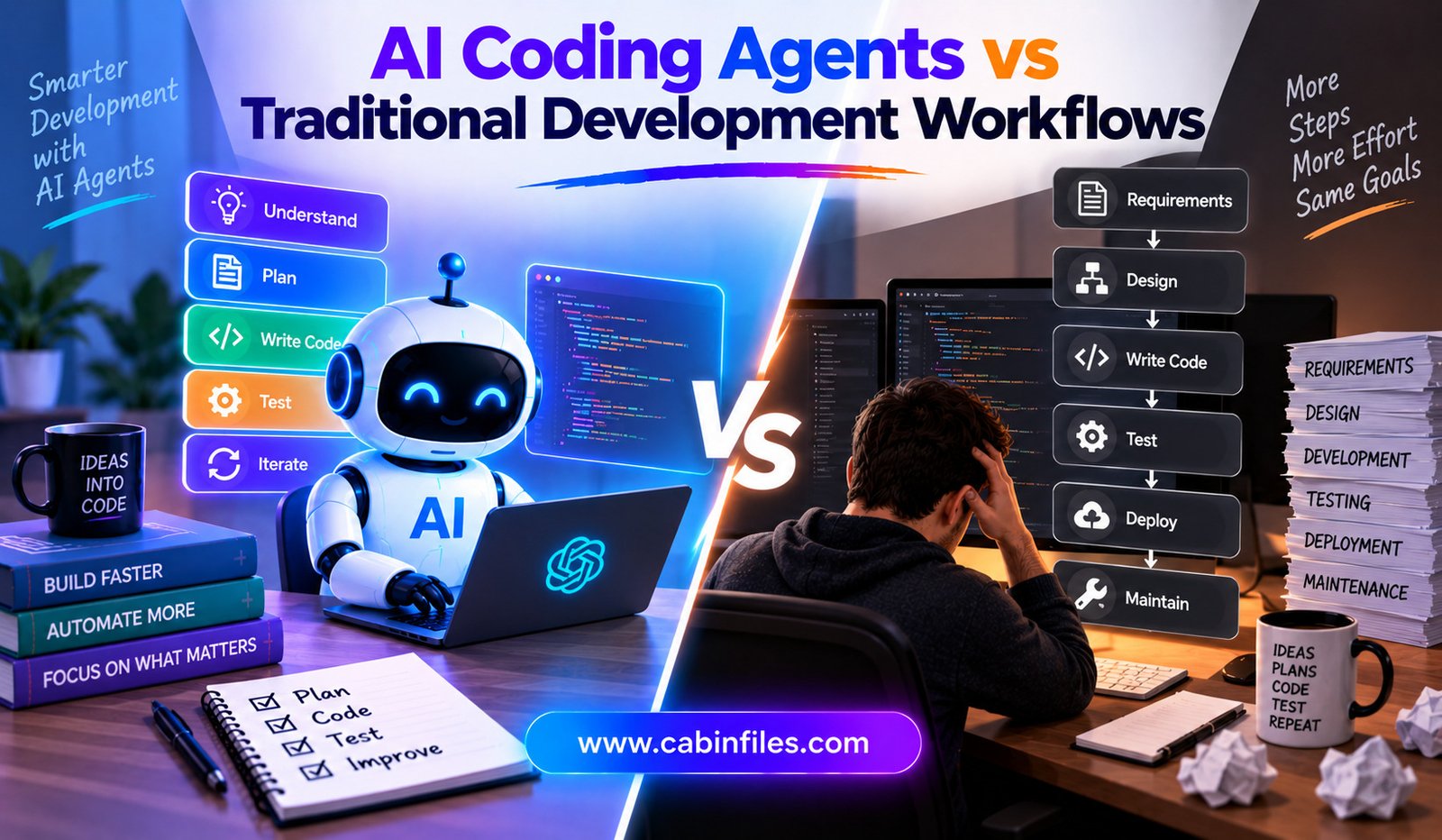
AI Coding Agents vs Traditional Development Workflows
Software development has always depended on tools that help developers write, test, debug, and maintain code. For decades, the basic workflow remained relatively consistent: developers understood a requirement, designed a solution, wrote code, tested it, reviewed the changes, and deployed the finished application.
AI coding agents are beginning to change that process.
Unlike traditional coding assistants that mainly suggest lines or snippets of code, AI coding agents can work on broader development tasks. They can inspect repositories, modify multiple files, run commands, execute tests, investigate errors, and sometimes create complete pull requests.
This does not mean traditional development is disappearing. Instead, teams are entering a period where human developers and AI agents can share more of the implementation work.
Understanding the difference between AI coding agents vs traditional development workflows can help businesses and developers decide where AI provides genuine value and where conventional engineering practices remain essential.
What Is a Traditional Development Workflow?
A traditional software-development workflow usually begins with a requirement or problem.
A developer studies the requirement, discusses technical details with the team, designs an approach, and then writes the necessary code. Once the implementation is complete, the developer runs tests and checks the result.
The changes are then reviewed by another developer or team member. After approval, the code can be merged and eventually deployed.
The important characteristic is that the human developer performs most of the reasoning and implementation.
Tools can automate individual parts of the process, but the developer generally controls the sequence.
For example, a typical workflow might look like:
Requirement → planning → coding → testing → code review → deployment
This approach has worked extremely well for decades and remains the foundation of professional software engineering.
What Are AI Coding Agents?
AI coding agents take a more autonomous approach.
Instead of simply suggesting code, an agent can receive a development objective and determine several steps needed to accomplish it.
For example, a developer could ask an agent to investigate why a particular API endpoint is failing. The agent might inspect the relevant files, search for related functions, identify a likely problem, modify the code, run tests, and report its findings.
Modern agentic development tools can interact with repositories and development environments rather than operating only inside a chat window.
The workflow can therefore become:
Requirement → AI agent investigates → implementation → tests → review → human approval
The developer still defines the objective and evaluates the final result, but the agent can perform more of the intermediate work.
The Biggest Difference: Who Performs the Implementation?
The clearest difference between the two approaches is the role of the developer.
In a traditional workflow, developers are responsible for writing most of the implementation.
With an AI coding agent, developers can delegate portions of that work.
This does not necessarily make the developer less important.
Instead, the role can shift toward defining requirements, reviewing architecture, validating AI-generated changes, testing edge cases, and making higher-level technical decisions.
In other words, AI agents can reduce the amount of manual coding while increasing the importance of effective supervision.
Speed of Development
One of the strongest arguments for AI coding agents is development speed.
A developer may spend significant time searching through a large codebase, locating related functions, writing repetitive code, and creating standard tests.
An AI agent can potentially perform several of these tasks quickly.
For repetitive or well-defined work, the productivity improvement can be significant.
For example, an agent could create similar API handlers, update references across multiple files, generate test cases, or migrate repetitive code patterns.
Traditional development can still be faster for certain tasks, particularly when the developer already understands the code extremely well and the change is small.
Therefore, AI does not automatically make every development task faster. Its biggest advantages often appear when the task involves exploration, repetitive implementation, or multiple connected files.
Understanding the Codebase
Developers working traditionally need to understand enough of a project to make safe changes.
They may manually search files, inspect dependencies, read documentation, and trace how different components interact.
AI coding agents can automate some of this exploration.
An agent can search through a repository, identify related files, inspect functions, and use the resulting information to plan a modification.
This can be particularly useful in older or unfamiliar codebases.
However, repository exploration is not the same as genuine understanding.
An AI agent can misunderstand an architectural decision or overlook an important business rule. Human developers therefore still need to provide context and verify important conclusions.
Coding and Repetitive Work
Traditional coding is effective but can consume substantial developer time when the task is repetitive.
Examples include creating similar components, updating boilerplate, writing straightforward tests, renaming APIs, converting data structures, or making consistent changes across many files.
AI agents can be particularly useful for these tasks.
A developer can describe the desired change and allow the agent to implement the repetitive portions.
This creates an important productivity advantage: developers can spend less time typing predictable code and more time solving problems that require engineering judgment.
Testing and Verification
Testing is important in both workflows.
In traditional development, developers write or update tests and execute them using established tools.
AI coding agents can also run tests and respond to failures.
For example, an agent may make a change, execute the project’s test suite, identify an error, modify the implementation, and run the tests again.
This creates an iterative development loop.
However, passing automated tests does not prove that the implementation is correct.
Tests only verify behaviors that have been encoded into the test suite. An AI agent could satisfy existing tests while implementing the wrong business behavior.
Human review therefore remains necessary.
Code Review Changes With AI Agents
Traditional code review is generally performed by one or more developers examining a pull request.
They evaluate the implementation, look for bugs, consider maintainability, and determine whether the change meets requirements.
With AI-generated code, the review process becomes even more important.
An AI agent can produce a large amount of code quickly, which means developers may need to review more generated changes than they would normally write themselves.
This creates a potential paradox:
AI can make coding faster while making careful review more important.
Teams should avoid treating AI-generated code as automatically trustworthy simply because it was produced by a sophisticated model.
Handling Business Requirements
This is an area where traditional development can have an important advantage.
Experienced developers often carry knowledge about a product’s business rules, customer expectations, technical history, and architectural decisions.
AI agents may not automatically know all of this information.
For example, a company might have a rule that a particular customer category cannot receive a certain discount. An AI agent could implement a seemingly reasonable discount system without realizing that this exception exists.
Giving agents access to current product documentation, architecture decisions, tests, and repository context can reduce these problems.
But humans remain responsible for determining whether the software actually solves the intended business problem.
Cost Considerations
AI coding agents introduce a different cost structure.
Traditional development primarily costs developer time and infrastructure.
AI-assisted development adds model usage, which may be measured through tokens, requests, subscriptions, or other pricing systems.
For simple tasks, AI usage can be inexpensive.
For large repositories and complex agent sessions, costs can increase because the agent may process substantial amounts of code and repeatedly interact with the model.
Teams therefore need to evaluate both sides of the equation:
How much developer time does the AI save compared with the cost of running the agent?
For many organizations, the answer may still favor AI, particularly when agents handle repetitive engineering work.
Security and Permissions
AI agents can have considerably more access than ordinary chat-based assistants.
Depending on the development environment, an agent may read source files, modify code, execute shell commands, access development services, or interact with external tools.
That creates security considerations.
Traditional development workflows also involve security risks, but the developer typically controls each command directly.
With autonomous agents, organizations should carefully define permissions and avoid granting unnecessary access to production systems, secrets, sensitive files, or critical infrastructure.
The principle should be simple:
Give an AI agent only the access it actually needs.
Creativity and Problem Solving
AI coding agents are increasingly capable of generating alternative solutions and suggesting implementation strategies.
This can help developers explore approaches they might not immediately consider.
However, human developers remain important for product strategy and architectural judgment.
An AI can propose three technically valid approaches, but deciding which one best fits the company’s long-term goals requires broader context.
Traditional development places that responsibility directly on engineers.
AI-assisted development allows the AI to participate in the exploration while humans retain decision-making authority.
When Traditional Development May Be Better
AI coding agents are not the ideal solution for every task.
Traditional development may be preferable when a project involves highly sensitive systems, unusual architecture, strict regulatory requirements, or complex requirements that have not been clearly documented.
It can also be more efficient for a highly experienced developer making a small change that they can implement and test immediately.
Teams should therefore avoid adopting AI simply because it is fashionable.
The right question is whether the technology improves the particular workflow.
When AI Coding Agents Make More Sense
AI agents can provide strong value for tasks such as:
- Repetitive implementation
- Repository exploration
- Bug investigation
- Test generation
- Documentation updates
- Refactoring
- Code migrations
- Prototyping
- Routine pull requests
- Explaining unfamiliar code
They can be particularly useful when developers need to move quickly but still want the changes to remain inside established Git, testing, and review processes.
The Future Is Likely to Be Hybrid
The debate between AI coding agents and traditional development does not necessarily have to end with one replacing the other.
A more realistic future is a hybrid workflow.
Developers define goals and constraints. AI agents investigate problems and implement routine changes. Automated systems run tests and security checks. Human engineers review important decisions and approve production changes.
This creates a layered process where each part of the system performs the work it is best suited for.
The developer becomes less of a manual code producer and more of an engineer responsible for directing, evaluating, and improving the overall system.
Final Thoughts
The comparison between AI coding agents vs traditional development workflows is ultimately not about choosing between humans and machines.
Traditional development provides proven processes for planning, coding, testing, reviewing, and maintaining software. AI coding agents introduce greater automation into those processes by allowing software tools to perform larger portions of implementation and investigation.
The biggest advantage of AI agents is their ability to handle multi-step development tasks quickly. The biggest challenge is ensuring that their speed does not come at the expense of correctness, security, maintainability, or product intent.
For modern development teams, the strongest approach may be to combine both models.
Let AI handle repetitive and well-defined work, while developers remain responsible for architecture, business logic, security, quality, and final decisions.
As AI coding agents continue to improve, software development is likely to become less about manually writing every line of code and more about describing problems clearly, supervising intelligent tools, and ensuring that the final software does exactly what users need.
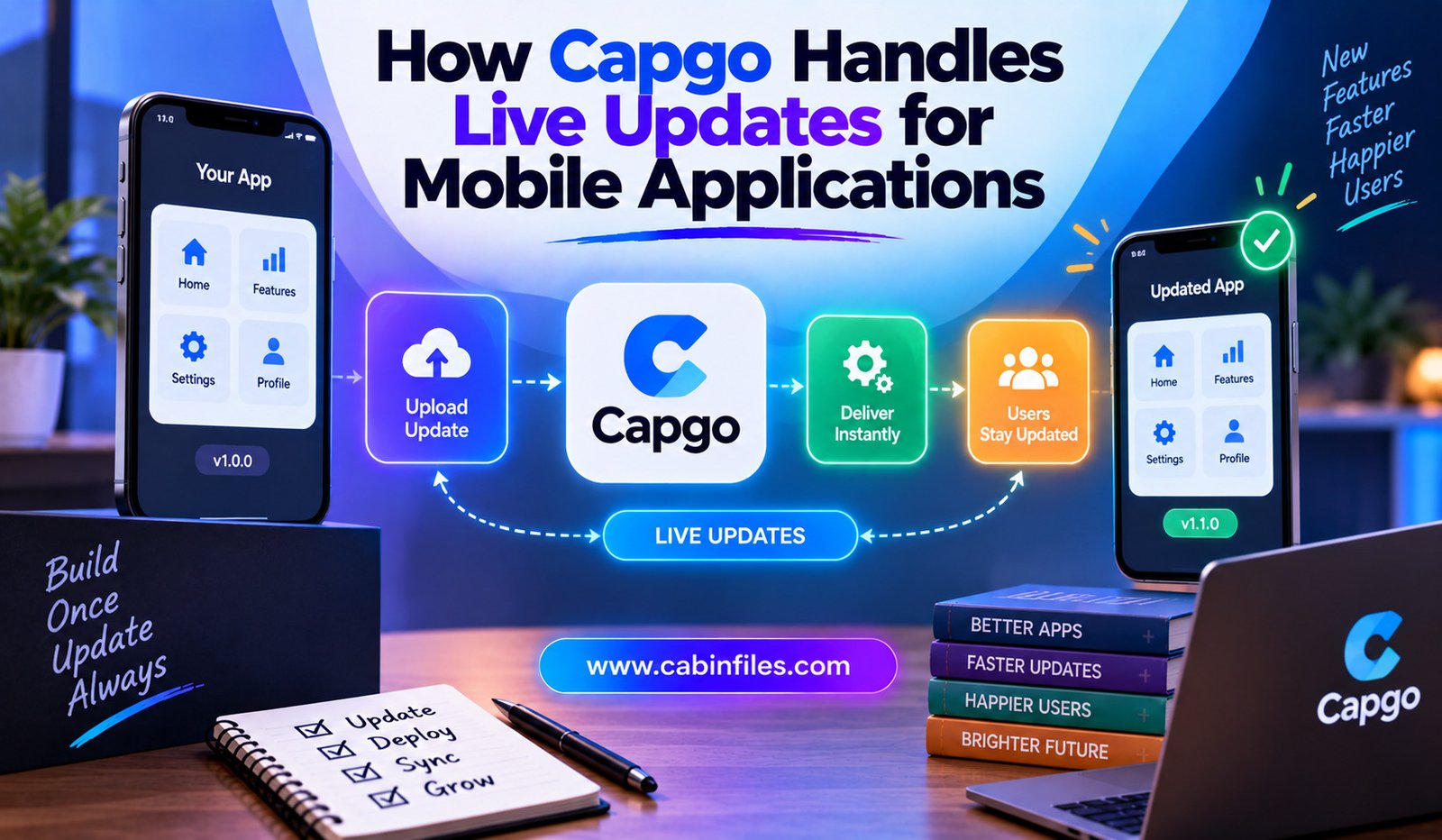
How Capgo Handles Live Updates for Mobile Applications
Mobile applications often have a frustrating development cycle. A team discovers a bug, fixes it, builds a new version, submits the application for review, waits for approval, and then waits for users to install the update.
For businesses that release frequently, this process can slow down development and delay important fixes.
Capgo offers another approach for applications built with technologies such as Capacitor. Its Live Updates system allows teams to distribute changes to the JavaScript portion of an application over the air, meaning developers can update web-based app content without requiring users to download a new native binary from an app store.
This can be especially useful for fixing bugs, updating interfaces, and changing application logic when those changes do not require modifications to native code.
What Is Capgo?
Capgo is a live-update platform for applications built with Capacitor, with additional updater clients for Cordova and Electron. Its core purpose is to deliver updates to the web layer of an application after the native application has already been installed.
A hybrid mobile application typically has two important layers.
The first is the native layer, which contains platform-specific code and native dependencies.
The second is the web layer, which includes technologies such as JavaScript, HTML, CSS, and web assets.
Capgo focuses on updating that web layer remotely. This distinction is important because not every application change can be delivered through an OTA update.
How Capgo’s Live Updates Work
The basic process is relatively straightforward.
A developer builds the web portion of the application and uploads the resulting bundle to Capgo. The application contains the Capgo updater SDK, which checks whether a newer compatible bundle is available. If an update exists, the SDK can download it in the background.
By default, Capgo is designed to minimize disruption.
When the app comes to the foreground, it checks for an update. While the application remains open, it can also perform checks based on a configurable interval, which defaults to 10 minutes. When a new bundle is found, it is downloaded while the user continues using the current version.
The downloaded update is normally applied when the application moves into the appropriate background or restart cycle.
This means developers can release changes without forcing someone to stop what they are doing in the middle of a session.
Updating JavaScript Without Releasing a New Binary
The most important feature of Capgo is its OTA, or over-the-air, update capability.
Developers can distribute changes involving HTML, CSS, JavaScript, images, fonts, and other assets contained in the generated web bundle. Pure-JavaScript package changes can also be delivered when they are included in that bundle.
Imagine a team discovers a bug in the application’s checkout interface.
If the problem is entirely inside the JavaScript or web layer, the developer can fix the issue, build the web assets, and publish a new bundle through Capgo.
Users can then receive the corrected version without waiting for a traditional native app release.
This can shorten the time between discovering a problem and delivering a solution.
Native Changes Still Require App-Store Releases
Capgo’s live updates have an important limitation: they cannot replace the native application binary.
If developers add or remove a native plugin, change native dependencies, modify Capacitor configuration, or change iOS or Android project files, those modifications require a new native build.
This creates a useful rule for mobile development:
Web-layer change → potentially OTA
Native-layer change → new app-store build
For example, changing the color of a button or modifying JavaScript business logic could potentially be handled through a live update. Adding a new native camera plugin would require a new binary containing the necessary native code.
Understanding this difference is essential for using live updates safely.
Background Downloads Reduce User Disruption
One reason Capgo’s update system can be useful is that downloads can happen in the background.
Instead of stopping the application and requiring the user to wait for a download, the updater can retrieve the new bundle while the current version remains active. The default behavior then waits for an appropriate point before applying the update.
This creates a smoother experience.
Users may simply open the application later and find that the latest version is already available.
For developers, it also means updates can be released more frequently without turning every deployment into a visible event for customers.
Instant Update Options
Some situations may require a faster update cycle.
Capgo supports different update-application policies, including atInstall, onLaunch, always, and onlyDownload, in addition to the default background behavior.
For example, an application could be configured to apply an update when it launches from a completely closed state.
There is also an option to apply updates whenever they become available.
However, immediate updates should be used carefully. Updating an application while someone is actively using it can create unwanted behavior if the application has unsaved state or the update changes important parts of the user experience.
Capgo therefore provides different policies so developers can choose the approach that matches their application.
Delta Updates Can Reduce Download Size
Downloading an entire application bundle for every small change is not always efficient.
Capgo supports Delta, or manifest, updates, which can download only the files that have changed instead of requiring the complete bundle.
This can be particularly valuable for users on mobile networks.
Suppose an application contains a large JavaScript bundle but a new release changes only a few files. A delta update can reduce the amount of data that needs to be transferred.
Smaller downloads can mean faster update delivery and lower bandwidth consumption.
Capgo specifically recommends Delta updates when using immediate-application modes because faster downloads can reduce the amount of time users spend waiting for an update to become available.
Channels Help Control Who Gets an Update
Not every update needs to go to every user immediately.
Capgo uses channels to determine which bundle should be offered to devices configured to receive updates through a particular channel. Developers can change which bundle a channel points to and can also roll back to an earlier version.
This makes channels useful for controlled releases.
A development team could have separate channels for testing and production. A new bundle can first be evaluated by a limited group before becoming the version offered to the wider audience.
Channels can also support progressive rollout strategies.
Instead of immediately sending a new update to every device, a team can introduce it gradually and monitor the results.
Rollbacks Provide an Extra Safety Net
Even carefully tested updates can cause unexpected problems.
An application might work correctly in development but behave differently across devices, operating-system versions, network conditions, or user states.
Capgo provides rollback capabilities, allowing a previous bundle to be attached to a channel when a live update needs to be reversed.
This can be especially valuable when a production bug appears shortly after deployment.
Instead of waiting for another development cycle and app-store distribution process, teams can potentially return users to a previously working JavaScript bundle.
A rollback does not eliminate the need to fix the underlying problem, but it can provide a faster way to stabilize the application.
Monitoring Update Activity
Delivering an update is only part of the process. Developers also need to know whether devices successfully received and installed it.
Capgo provides live debugging and update monitoring features. Its documentation describes monitoring events such as update checks, downloads, installations, errors, and policy blocks.
This visibility can help teams investigate situations where an update does not reach users as expected.
For example, a developer might discover that some devices are failing during downloads while others install the bundle successfully.
Having these events available can make troubleshooting more systematic.
Connecting Capgo With CI/CD
Frequent releases become much easier when deployment is automated.
Capgo’s quickstart documentation supports integrating the platform into CI/CD workflows. Developers can configure bundle publishing so that a code change can eventually trigger the process of building and uploading a new live-update bundle.
A typical workflow can look like this:
Developer commits code → CI builds the web bundle → bundle is uploaded → Capgo distributes the update → devices download it → team monitors the rollout
Automation reduces repetitive manual steps and makes frequent deployments more practical.
The Importance of Compatibility Checks
A dangerous situation occurs when a JavaScript update expects native functionality that is not present in the installed application.
For example, imagine an updated JavaScript bundle calls a native plugin that was added to the latest version of the project. A user who has not installed that new native binary may still have an older application without the required plugin.
The updated JavaScript could then fail at runtime.
Capgo addresses this with native-compatibility checks that compare the native dependencies associated with a bundle against the installed application’s native environment.
This is an important part of safe OTA deployment.
The goal is not simply to deliver updates quickly but to make sure the bundle is compatible with the native application receiving it.
Security and Data Considerations
Live-update systems also need to consider how application bundles are distributed and protected.
Capgo documents encryption and compatibility mechanisms for live updates, while also noting that unencrypted bundles delivered to clients should be treated as public assets.
This is an important consideration for developers.
Live updates are designed for shipping application assets, not for distributing confidential information or secret credentials. Sensitive data should not be embedded into a JavaScript bundle simply because the bundle is delivered through a controlled update channel.
Teams should also review their application’s security model before introducing OTA updates into production.
When Capgo Makes the Most Sense
Capgo can be especially useful for teams that release frequently and use Capacitor-based applications.
It can help with:
- Fixing JavaScript and UI bugs quickly
- Updating web-based application logic
- Delivering frequent interface improvements
- Testing controlled releases
- Reducing reliance on app-store approval for web-layer changes
- Rolling back problematic bundles
- Automating mobile web-bundle deployment
It is less suitable as a replacement for native app releases because native functionality still needs to be included in the installed binary.
Final Thoughts
Capgo changes the traditional mobile-update workflow by allowing teams to distribute compatible JavaScript, HTML, CSS, and asset changes over the air. Instead of requiring a new native app-store release for every web-layer change, developers can upload a new bundle and let the Capgo updater deliver it to eligible devices.
Its approach combines background downloads, configurable update timing, Delta updates, channels, compatibility checks, monitoring, CI/CD integration, and rollback capabilities.
The biggest advantage is speed. A team can potentially move from fixing a bug to delivering the fix much faster when the change does not require native modifications.
At the same time, developers need to understand the boundary between web and native code. Live updates are powerful, but they are not a way to bypass every mobile release requirement.
Used correctly, Capgo can become an important part of a modern Capacitor development pipeline—helping teams release web-layer improvements faster while maintaining control over compatibility, rollout, monitoring, and recovery.
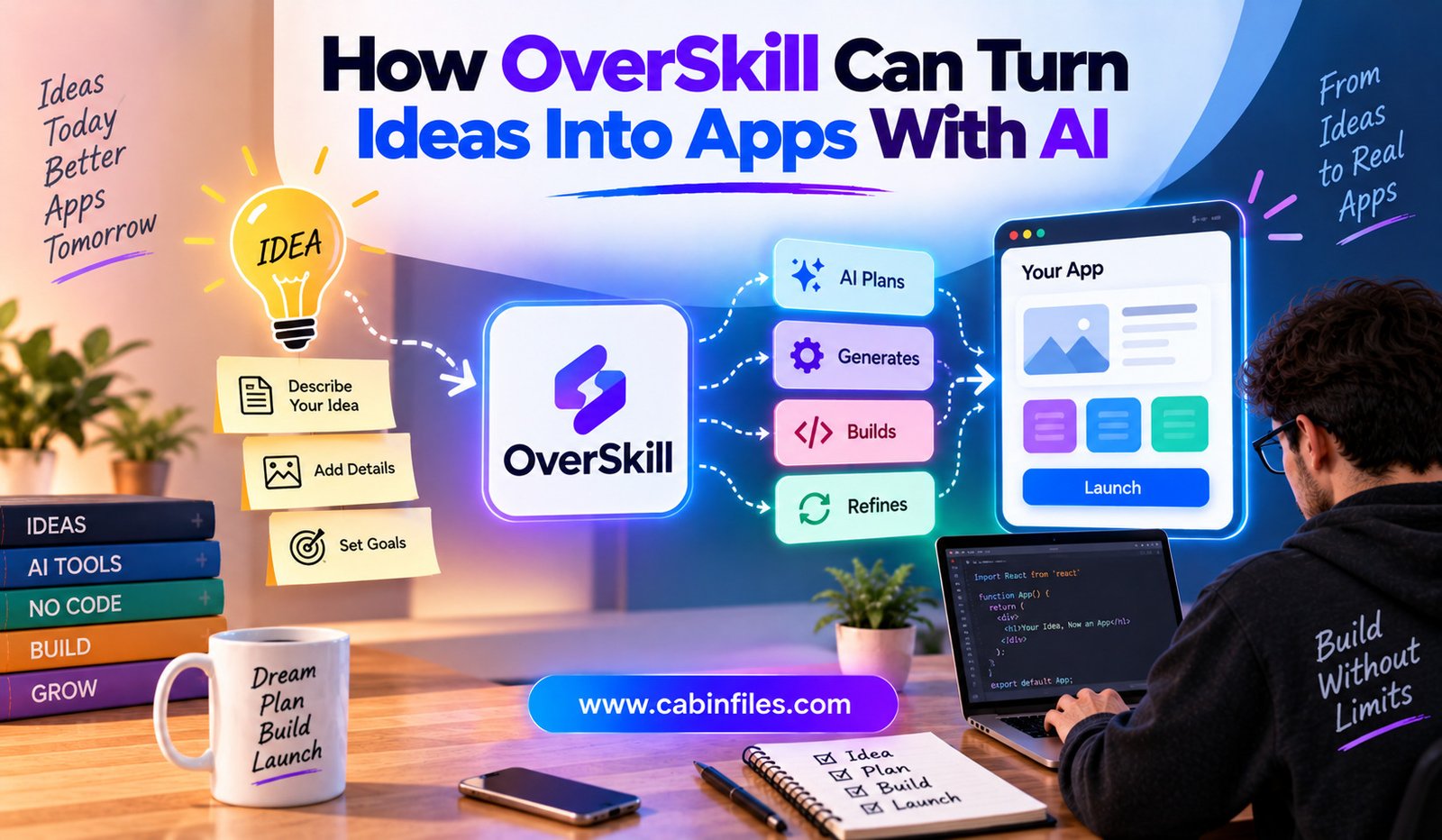
How OverSkill Can Turn Ideas Into Apps With AI
Turning a software idea into a working application has traditionally required several stages. Someone has to define the product, design the interface, create the database, write frontend and backend code, configure authentication, connect payments, test the application, and finally deploy it.
For non-developers and small teams, this process can become expensive and time-consuming.
AI app builders are changing that workflow by allowing people to describe what they want in natural language and let AI handle much of the technical implementation. OverSkill takes this concept further by focusing on building complete, usable applications rather than simply generating an initial interface.
The platform allows users to describe an application in plain English and uses AI to create its screens, database, authentication, payments, integrations, and deployment.
What Is OverSkill?
OverSkill is an AI-powered application builder designed to turn product ideas into working applications without requiring users to write the code themselves.
Instead of beginning with a blank development environment, users describe what they want to build. OverSkill then interprets the request and creates the application structure.
The platform is aimed at people such as business operators, agencies, consultants, creators, and small-business owners who may have useful software ideas but do not necessarily have a development team available to build them.
This makes the platform interesting not only for developers but also for people who understand a business problem better than they understand programming.
From a Sentence to an Application
The basic OverSkill workflow is designed around three stages: describe, generate, and ship.
First, the user explains the idea in plain language. For example, someone could describe a booking application for a salon or a CRM for an agency.
OverSkill can then ask questions and propose a structure before generating the application. Users can refine the idea before the build begins.
The second stage is generation. The platform creates elements such as database tables, pages, authentication, payments, and integrations.
Finally, the application can be deployed and accessed through a live domain.
This approach removes many of the technical steps that normally stand between an idea and a usable prototype.
Building More Than a Frontend
One important difference in OverSkill’s approach is its focus on the operational parts of an application.
A typical AI website generator may produce an attractive interface but leave users responsible for connecting databases, authentication, payment processing, hosting, and other services.
OverSkill positions itself around a fuller application stack. Its current platform includes sign-in, databases, payments, email, push notifications, mobile installation, scheduling, and integrations.
That means a user can describe not just how an application should look but also what it needs to do.
For example, a booking application could require customer accounts, appointment records, payment processing, reminders, and an administrative dashboard.
Instead of treating those as completely separate development projects, OverSkill attempts to connect them during the initial build.
Authentication Built Into the App
User accounts are a fundamental part of many modern applications.
Building a secure authentication system manually can involve database design, password handling, session management, social login, account recovery, and security considerations.
OverSkill provides built-in sign-in capabilities, including Google, Apple, and email authentication according to its current product information.
This can make it easier for someone creating an application to add user accounts without implementing the entire authentication infrastructure from scratch.
For business applications, this can be particularly useful when different customers need their own accounts and personalized information.
Databases Without Starting From Scratch
Most useful applications need somewhere to store information.
A CRM needs contacts and deals. A booking application needs appointments. An e-commerce application needs products and orders. A client portal needs customer information and documents.
OverSkill can generate database structures from what the user describes. The platform says users own their data and can export it when needed.
This is important because an AI-generated application is much more useful when it can store and retrieve real information rather than functioning as a static demonstration.
The database becomes part of the application architecture instead of an additional system that needs to be configured separately.
Payments Can Be Part of the Product
For businesses, creating an application is often connected to a commercial goal.
An application might sell subscriptions, accept bookings, process orders, or charge customers for premium features.
OverSkill includes built-in payment capabilities and currently advertises payments across 195 countries.
This means entrepreneurs can think about monetization while describing the application rather than treating payments as a later development project.
Of course, businesses still need to consider payment-provider requirements, taxes, refunds, compliance, and other commercial responsibilities.
Mobile Access Without a Separate App Project
Another notable feature is mobile support.
OverSkill says applications can run on iPhone and Android and can be installed with a home-screen experience without requiring a traditional App Store review process.
This can be useful for businesses that need customers or employees to access an application from smartphones.
For example, a field-service company could build an internal scheduling system that employees access while working away from a desktop computer.
Instead of maintaining completely separate web and mobile development projects, a business can start with an application that works across devices.
Integrations Connect Apps to Existing Tools
Modern applications rarely operate in isolation.
A business may already use payment platforms, email services, spreadsheets, analytics tools, communication systems, or AI providers.
OverSkill currently advertises more than 100 integrations, including services such as Stripe, GitHub, Slack, OpenAI, and Anthropic.
These integrations can expand what an AI-generated application is capable of doing.
For instance, an internal application could connect to existing business data, send notifications through a communication service, or use an AI model to provide intelligent features.
This reduces the need to manually connect every external service from scratch.
AI Can Help Improve the Original Idea
One challenge with AI app building is that users may know what problem they want to solve without knowing exactly how the application should be structured.
OverSkill includes an AI prompt builder that can help expand an initial idea. Its interface asks about areas such as target customers, pain points, goals, business model, and revenue model.
This can be valuable during the planning stage.
Instead of simply typing, “Build me a fitness app,” a user can develop the idea into something more specific, such as a fitness platform for beginners with workout tracking, user accounts, progress dashboards, and subscription features.
Better input can give the AI more useful information for generating the product.
Templates Can Speed Up Development
Starting from a completely blank project is not always necessary.
OverSkill provides templates covering different categories and use cases. Its current template library includes areas such as business, e-commerce, productivity, education, finance, health, entertainment, and social applications.
Templates can provide a starting structure that users then modify through natural-language instructions.
This can be especially useful for common business applications.
For example, someone building a lead-generation funnel may not need to describe every screen and interaction from scratch. They can start from an existing template and tell the AI what should be changed.
Building AI-Powered Applications
OverSkill is not limited to applications that merely use conventional forms and databases.
The platform explicitly includes AI agents among the types of products users can build.
This opens up another layer of possibilities.
A user could build a chatbot, an automated workflow, an AI-powered customer-support tool, or another application where artificial intelligence is part of the product itself.
OverSkill also provides integrations with AI services, allowing applications to connect with providers such as OpenAI and Anthropic.
The distinction is important: AI can be used not only to build the application, but also to power features inside the application.
Working With AI Coding Agents
OverSkill also provides support for external AI agents.
Its help center currently includes documentation for using OverSkill from AI agents such as Claude, Cursor, and Codex.
This is significant because AI-assisted development is increasingly moving toward agent-based workflows.
Instead of a human manually performing every change, an AI agent can potentially interact with the application-building environment, make changes, and help iterate on a project.
This creates a workflow where the user provides the product direction while AI handles more of the implementation work.
Why This Matters for Entrepreneurs
One of the biggest advantages of AI app builders is reducing the gap between having an idea and testing it in the real world.
Previously, someone with a software idea might need to find a technical co-founder, hire freelancers, or spend months learning development before launching a prototype.
With an AI application builder, the first version can potentially be created much faster.
That does not mean every idea will automatically become a successful business.
Market research, customer feedback, pricing, usability, security, and product strategy still matter.
But reducing the cost and time required to build the first version can make experimentation easier.
Developers Can Also Benefit
Although OverSkill is strongly positioned toward non-developers, developers can also benefit from this type of platform.
Experienced developers often spend time building repetitive infrastructure before reaching the unique part of a product.
Having AI handle parts of authentication, database setup, deployment, integrations, or basic UI construction can allow developers to concentrate on functionality that requires deeper engineering decisions.
The ability to export application code and database information also gives developers greater flexibility when they need to take the project into a more conventional development environment.
What Users Should Keep in Mind
AI-generated software still needs human oversight.
A natural-language description can be misunderstood. An automatically generated database may not perfectly match future requirements. Business logic can contain unexpected edge cases, and security-sensitive applications require careful review.
Users should test important workflows, verify permissions, inspect data handling, and validate integrations before relying on an application for critical business operations.
The quality of the final product also depends heavily on how clearly the user communicates the desired outcome.
OverSkill’s own documentation acknowledges that vague instructions can produce vague results and recommends being specific about what should be built.
Final Thoughts
OverSkill represents the growing shift toward idea-to-app development with AI.
Instead of requiring users to understand every technical step, the platform allows them to describe an outcome in natural language and have AI generate much of the underlying application.
Its current feature set covers databases, authentication, payments, email, notifications, mobile access, scheduling, integrations, templates, and AI-powered applications.
The biggest opportunity is not simply faster coding. It is making software experimentation accessible to people who understand a problem but may not have the technical resources to build a solution from scratch.
As AI becomes better at handling complex application requirements, platforms such as OverSkill could make the process of turning an idea into a working digital product increasingly accessible.
The developer of the future may not always begin with code. Increasingly, they may begin with a description of the problem, the customer, and the desired outcome—and let AI turn that idea into the first working version.

How Prelint Can Catch Product Issues Before They Ship
Software development has changed dramatically with the rise of AI coding agents. Developers can now ask tools such as coding agents to implement features, modify existing functionality, fix bugs, and create pull requests in a fraction of the time that traditional development might require.
But faster coding creates a new challenge.
A pull request can contain clean, well-structured, tested code and still be wrong for the product.
An AI agent may misunderstand a business rule, overlook an architectural decision, introduce an unplanned feature, or implement behavior that contradicts a requirement written months earlier. Traditional code review tools are often designed to determine whether code works correctly, not whether it matches the product decisions behind it.
Prelint is designed to address this gap. It reviews pull requests against product specifications, architecture decisions, documentation, and other project context to identify product drift, specification violations, business-logic problems, and scope changes before they reach production.
What Is Prelint?
Prelint is an AI-powered product review tool designed to work alongside existing code-review and development tools.
Instead of replacing a linter, type checker, security scanner, or traditional code reviewer, Prelint focuses on a different question:
Does the code match what the team actually decided to build?
Its documentation explains that teams can provide product specifications, architecture decision records, API contracts, compliance rules, and other Markdown-based documentation. Prelint then uses this information as context when reviewing pull requests.
This makes the tool particularly relevant for teams using AI coding agents, where the volume of generated code can make it harder for humans to inspect every product decision manually.
Why Passing Tests Isn’t Always Enough
Automated tests are essential, but they cannot necessarily determine whether a feature follows the intended product requirements.
Imagine a company has a documented rule that invoices must be payable within 30 days. An AI coding agent modifies the billing system and changes the payment period to 60 days.
The resulting code could be syntactically correct.
The tests might even pass if the existing tests do not check the payment period.
But the implementation would still violate an important business decision.
This is the type of product-level problem Prelint is designed to identify. Its review process compares changes against documented specifications and decisions rather than limiting its analysis to conventional code quality.
How Prelint Reviews a Pull Request
Prelint integrates with GitHub and can automatically review pull requests when they are opened, reopened, marked ready for review, or updated with new commits. Developers can also request a review directly.
The process involves several stages.
First, Prelint receives the pull-request event and retrieves the relevant code changes.
It then assembles review context from sources such as organization-level rules, project specifications, repository documentation, and Markdown files. The documentation says this context is prioritized within an 80,000-character budget.
The AI review engine then compares the changes against that context.
Finally, a second AI validation pass checks findings before they are posted. Findings that are speculative, unsupported by the diff, contradictory to documented context, or primarily related to ordinary linter territory can be filtered out.
This multi-stage approach is intended to reduce unnecessary warnings while keeping the review focused on meaningful product issues.
Catching Product Drift
One of the most important concepts behind Prelint is product drift.
Product drift happens when implementation gradually moves away from the decisions or requirements that originally defined a feature.
This can happen even when every individual code change appears reasonable.
For example, a product requirement might specify that customers receive a notification whenever an order changes. An AI-generated change could update the order successfully but accidentally remove the notification step.
The code may still compile and pass unrelated tests.
Prelint can compare the implementation against the documented rule and flag the mismatch before the change is merged. Its published examples specifically describe checking business workflows and architecture rules against pull-request changes.
Detecting Business-Logic Problems
Business logic is another area where traditional technical checks can have limitations.
A type checker can determine whether a value has the correct type. A linter can identify certain code-quality problems. A security scanner can detect known security risks.
But none of these tools necessarily understand why a company chose a particular business rule.
Prelint attempts to provide that missing context.
Its review process evaluates whether calculations, workflows, and data transformations match documented requirements. This can be useful for systems involving pricing, payments, subscriptions, permissions, eligibility rules, order processing, or other business-critical behavior.
The benefit is especially relevant when small changes can have significant commercial consequences.
Finding Scope Drift
AI coding agents can sometimes modify more than the original task requires.
A developer may ask an agent to fix a checkout problem, but the resulting pull request might also change unrelated validation logic, introduce a new dependency, or modify another part of the product.
These changes may not necessarily be bugs.
However, they can increase risk because the pull request is now doing more than the team intended.
Prelint includes scope drift among the areas it evaluates. It can assess whether a pull request introduces changes outside its stated purpose or includes unrelated modifications.
This can help teams keep AI-generated changes focused.
Using Existing Product Documentation
Prelint becomes more useful when a development team maintains clear documentation.
Teams can store product specifications, architecture decisions, and other relevant information as Markdown files in their repositories. Prelint indexes these files automatically and uses them as review context.
This creates an interesting relationship between documentation and automated code review.
Instead of documentation being something developers read only when they need it, documented decisions can become active rules that influence future pull-request reviews.
For example, an architecture decision record might state that a particular event-processing pattern must be used. If a later pull request introduces a different implementation, Prelint can use the documented decision as part of its review.
AI Agents Can Act on Prelint Feedback
Prelint is also designed with AI coding agents in mind.
Its findings appear as standard GitHub review comments pinned to the relevant lines of the diff. According to Prelint’s documentation, an AI coding agent that can read pull-request comments can use those findings to make corrections without requiring a custom integration.
This creates a feedback loop:
AI agent writes code → opens pull request → Prelint reviews it → agent reads feedback → agent fixes the issue → Prelint reviews again.
When a new commit is pushed, Prelint performs another review and automatically resolves findings that no longer apply.
This allows human developers to focus more on reviewing the final result rather than manually correcting every intermediate AI-generated mistake.
Complementing Existing Code-Review Tools
Prelint is not intended to replace conventional development tooling.
Its documentation explicitly distinguishes product review from technical checks such as code style, formatting, type safety, security scanning, and conventional bug detection.
A modern development workflow can therefore use several layers of review.
A linter can check style.
A type checker can check types.
Automated tests can verify expected behavior.
Security tools can search for vulnerabilities.
And Prelint can check whether the implementation aligns with documented product intent.
Together, these layers can provide broader coverage than relying on a single review system.
Keeping Documentation Current Matters
There is an important limitation to this approach: Prelint can only enforce the product knowledge it has access to.
If the documentation is outdated, incomplete, or ambiguous, an automated product review can reach the wrong conclusion.
Prelint’s own guidance recommends keeping specifications current and writing requirements in a clear, machine-readable style. It also recommends documenting important product and architecture decisions.
This means the tool can encourage a useful engineering habit: treating product decisions as living technical context rather than information that disappears into meetings, chats, or old tickets.
Decision Tracking Adds Another Layer
Prelint has also developed a broader decision-recording concept around its reviews.
Its current product describes a system where decisions found in code changes can be recorded with information about who made the decision, when it happened, where it came from, and whether a person or AI made it.
This can become increasingly valuable as AI agents contribute more code.
When an agent makes a product-impacting decision, teams need to know not only what changed but also why that behavior exists.
A record of those decisions can make future maintenance, audits, and product discussions easier.
Security and Code Privacy
Because Prelint needs access to source code and product documentation, security is an important consideration.
Prelint states that repository clones are encrypted at rest and stored on isolated per-tenant volumes. It also says reviews run in dedicated containers that are destroyed after completion and that its LLM calls use zero-retention APIs.
Teams should still review the platform’s current security documentation and determine whether its data-handling practices meet their own organizational and regulatory requirements.
Why Prelint Matters as AI Coding Grows
The faster AI agents become at writing code, the more important product-level verification becomes.
If developers manually write every change, they are often deeply familiar with the reasoning behind what they are implementing.
An AI agent may not have that same institutional context.
It can see the code but not necessarily understand why the company chose one payment rule over another, why a particular architecture decision was made, or why an apparently harmless feature is outside the product’s intended scope.
Prelint attempts to turn that institutional knowledge into something that can actively participate in the development process.
Final Thoughts
Prelint addresses a growing problem in AI-assisted software development: code can be technically correct while still being the wrong product decision.
By reviewing pull requests against product specifications, architecture decisions, business rules, and repository documentation, Prelint adds a product-alignment layer to the traditional development review process.
Its ability to return inline feedback also creates a practical workflow for AI coding agents. An agent can receive the review, make corrections, push another commit, and trigger another review before a human makes the final decision.
As software teams increasingly rely on AI agents to produce code at high speed, tools that verify **what should be built—not just whether the code runs—**could become an important part of modern software development.
Prelint’s approach is essentially about adding one more question to every pull request:
Does this code actually build the product we agreed to build?

React Bits: Components That Can Speed Up React Development
Building a modern React website can be exciting, but creating every interface element from scratch can quickly become time-consuming. Developers often need to spend hours working on buttons, cards, navigation menus, animations, galleries, text effects, backgrounds, and other visual details before they can focus on the actual purpose of the application.
This is where React Bits can make the development process easier. React Bits is a library of animated React components designed to help developers create more engaging interfaces without having to build every visual effect from the ground up. Its library includes components for text, animations, UI elements, cards, backgrounds, galleries, cursor effects, and more.
For developers who want attractive interfaces while keeping development practical, React Bits can provide a useful starting point.
What Is React Bits?
React Bits is a collection of animated components for React projects. Instead of requiring developers to design and code every visual interaction themselves, the library provides ready-to-use components that can be adapted to different projects.
The current library covers several categories, including text animations, animated interactions, UI components, cards, galleries, cursor effects, and visual backgrounds. Examples include animated lists, accordions, carousels, card effects, circular galleries, sliders, navigation elements, and various text animations.
The goal is not simply to provide generic interface elements. Many components are designed to give websites a more distinctive visual identity.
Why Ready-Made React Components Matter
Creating a website involves much more than writing basic HTML and CSS.
A developer may need to implement a responsive navigation menu, animated hero section, interactive card, image gallery, loading animation, or custom text effect. Each feature can require design decisions, JavaScript logic, responsive styling, and testing.
When these elements already exist as reusable components, developers can start from a working foundation.
This can shorten the time between an idea and a functioning interface.
Instead of spending an afternoon creating an animation from zero, a developer can select an appropriate React Bits component, install or copy it into the project, customize its properties, and move on to the next part of the application.
A Large Selection of Visual Components
One of React Bits’ biggest advantages is the range of components available.
Its current catalog includes categories such as text animations, animations, components, and backgrounds. Developers can find effects such as rotating text, scrambled text, glitch text, gradient text, scroll-based animations, magnetic interactions, animated borders, galleries, menus, cards, and different visual backgrounds.
This variety makes React Bits useful for many types of projects.
A startup landing page might use animated text and a dynamic hero background. A portfolio could benefit from interactive cards and image galleries. An AI application could use animated interface elements to make dashboards and product screens feel more polished.
The same library can therefore support different design directions without forcing developers into one fixed visual style.
Animated Interfaces Without Starting From Scratch
Animation can make a website feel more responsive and modern, but implementing good animation requires more than simply adding movement.
Timing, transitions, responsiveness, performance, and user interaction all matter.
React Bits provides many animation-focused components that developers can integrate into their applications. The library includes effects such as magnetic interactions, cursor effects, scroll reveals, image trails, particle effects, and animated borders.
This gives developers an opportunity to experiment with interaction design without having to develop every animation system independently.
The result can be a more engaging user experience while reducing some of the implementation work.
Useful for Landing Pages
React Bits can be particularly useful for marketing websites and landing pages.
A landing page often needs a strong visual first impression. Animated headlines, interactive cards, dynamic backgrounds, and smooth transitions can help differentiate a page from a basic template.
Developers can combine multiple React Bits components to build sections such as:
- Hero areas
- Feature sections
- Pricing interfaces
- Product showcases
- Image galleries
- Navigation menus
- Interactive cards
- Call-to-action sections
The component-based approach means developers can select only the elements that fit their design rather than adopting an entire website template.
React Bits Pro Expands the Component Library
In addition to the broader React Bits component collection, React Bits Pro currently offers a larger collection of animated components, page blocks, application UI blocks, templates, and an Agent Kit.
The Pro documentation currently lists 134 animated components, 238 marketing blocks, 300 application UI blocks, and 11 complete templates.
The application UI collection is particularly relevant for developers building actual products rather than only promotional websites. It includes interfaces such as dashboards, data tables, settings screens, navigation structures, and AI-related surfaces.
This makes the ecosystem broader than a simple collection of decorative animations.
Components Can Be Customized
Ready-made components are most useful when developers can adapt them to their own projects.
React Bits Pro emphasizes typed components and theming capabilities, including controls for aspects such as accent colors, fonts, and border radius across application UI blocks.
This matters because developers rarely want every project to look identical.
A component can serve as the foundation while developers modify its typography, spacing, colors, content, and behavior to fit the application’s visual language.
The result is faster development without necessarily sacrificing customization.
Code Lives in the Project
Another important aspect of React Bits Pro is its approach to delivering source code.
Its documentation states that the code is copied into the developer’s repository rather than remaining inside a dependency package. This means developers can inspect and modify the implementation directly.
For developers, this can be valuable when a component needs significant customization.
Instead of treating the component as a black box, the developer can examine the source, understand how it works, and adjust it according to project requirements.
This also provides greater control over the final application.
Tailwind CSS and Vanilla CSS Options
React Bits supports different styling approaches.
The current documentation lists animated components in Tailwind CSS and vanilla CSS variants.
This flexibility can make the library more practical for different React projects.
Developers already using Tailwind can integrate components into an existing utility-based styling workflow, while developers who prefer conventional CSS can use the appropriate alternative.
Choosing a component library that fits the existing technology stack can reduce the amount of additional restructuring required.
React Bits and AI-Assisted Development
AI coding assistants are becoming increasingly common, and component libraries can work particularly well alongside them.
React Bits Pro includes an Agent Kit containing design skills, prompts, and page-building recipes intended to help AI agents assemble pages from the available library.
The documentation says developers can provide an AI coding agent with a design skill and instructions describing which blocks to combine.
This creates an interesting workflow:
Developer idea → AI agent → React Bits components → customized page → developer review
Instead of asking an AI assistant to invent an entire interface from scratch, developers can give it a structured collection of existing components.
That can make AI-generated interfaces more consistent and easier to refine.
Creative Tools for Faster Design Experiments
React Bits also provides creative tools that can support the design process.
Its current tools include Background Studio, Shape Magic, and Texture Lab. These utilities allow developers and designers to experiment with animated backgrounds, shapes, image effects, and exportable assets.
This can be helpful during early design exploration.
Rather than searching for a separate tool for every visual experiment, developers can use resources from the same ecosystem to explore different interface ideas.
Performance Still Matters
A visually impressive component is not automatically appropriate for every website.
Developers should consider page performance, accessibility, mobile behavior, browser compatibility, and the overall number of animations used.
A page containing too many heavy effects can become distracting or negatively affect performance, especially on lower-powered devices.
The best approach is to use animation with a purpose.
For example, a subtle hover effect may improve interaction feedback, while an elaborate background animation might be appropriate for a creative portfolio but unnecessary for a business dashboard.
React Bits provides the building blocks, but developers still need to make good design and engineering decisions.
React Bits vs Building Components From Scratch
Building everything manually provides complete control, but it can take considerably more development time.
React Bits offers another approach: begin with a functioning component and customize it.
This can be particularly useful when the visual behavior is relatively common but implementing it would require significant effort.
The developer’s time can then shift toward application logic, accessibility, business requirements, testing, and product experience rather than repeatedly recreating common UI patterns.
Who Can Benefit From React Bits?
React Bits can be useful for several types of developers.
Frontend developers can use it to speed up UI development and experiment with interaction effects.
Startup teams can use ready-made components to build polished product pages without creating every visual element from scratch.
Freelancers and agencies can use reusable components to accelerate client projects while customizing the final design for each brand.
Portfolio developers can use animations and interactive components to make personal websites more visually distinctive.
It can also be useful for developers experimenting with AI-assisted development because structured component libraries give AI coding tools concrete building blocks to work with.
Final Thoughts
React Bits offers developers a practical way to speed up React interface development by providing reusable animated components and visual building blocks.
Its extensive collection includes text effects, animations, cards, galleries, menus, backgrounds, cursor interactions, and other interface elements. React Bits Pro expands this approach further with marketing blocks, application UI, templates, and tools designed to work with AI coding agents.
The biggest benefit is not simply having access to attractive components. It is the ability to start with working building blocks instead of starting from a blank file.
For developers, that can mean less time recreating common interface effects and more time focusing on functionality, usability, and product development.
As React development increasingly combines reusable components, animation libraries, and AI coding assistants, tools such as React Bits can help make the path from an idea to a polished interface considerably faster.
How Trylle Brings AI Agents Into Software Development
Artificial intelligence is changing software development from simple code assistance to more autonomous engineering workflows. Developers can now use AI agents to investigate issues, modify code, create pull requests, review changes, and participate in continuous integration processes.
However, adding an AI agent to a development team is not simply a matter of connecting a chatbot to a code repository. Teams also need a reliable way to manage agent-generated changes, review the results, run tests, control permissions, and maintain a clear development history.
Trylle approaches this challenge by putting AI agents directly into a Git-based software development environment. Instead of treating an AI agent as a separate tool that developers have to manage alongside their repositories, Trylle combines repositories, pull requests, issues, CI, automation, reviews, and agentic workflows within one platform.
What Is Trylle?
Trylle is a Git platform designed around review, automation, and agent-driven development. Its web application and CLI provide tools for repository management, pull requests, inline code review, issues, stacked changes, continuous integration, automation, and AI-assisted workflows.
The basic idea is straightforward: AI agents should work within the same engineering processes used by human developers.
Rather than generating code in an isolated AI chat and asking a developer to manually transfer it into a repository, an agent can become part of a repository-centered workflow.
This makes AI-assisted development more structured and potentially easier for teams to manage.
From AI Coding Assistance to AI Engineering Workflows
Earlier generations of coding assistants primarily focused on autocomplete, code snippets, and answering programming questions.
AI agents take a broader approach.
An agent can potentially receive a software-development task, inspect the relevant repository, perform changes, execute commands, and produce an output that another developer can review.
Trylle is designed around this broader concept of agentic software development. Its platform combines the coding environment with familiar Git workflows such as pull requests and code review.
This distinction matters because software development is not finished when an AI generates code. The code needs to be tested, reviewed, discussed, and eventually merged.
Keeping AI Work Connected to Git
Git is already at the center of many development teams’ workflows. Developers use repositories to manage source code, branches, changes, and collaboration.
Trylle builds its AI workflow around that same foundation.
The platform provides repository hosting together with pull requests, issues, reviews, CI, and automation.
This allows AI-generated work to remain connected to the same artifacts developers already understand.
For example, instead of receiving a large block of AI-generated code in a chat window, a development task can result in changes that can be inspected through the normal repository workflow.
That creates a clearer boundary between AI-generated work and production-ready code.
Pull Requests Give Developers a Review Point
One of the biggest advantages of combining AI agents with Git workflows is the pull request.
AI agents can be productive, but developers still need to determine whether a change is appropriate. A pull request creates a natural checkpoint before code becomes part of the main development branch.
Developers can inspect the diff, understand what changed, discuss modifications, and run or review tests before approving the work.
Trylle’s platform emphasizes pull requests and inline review as part of its agent-centered development approach.
This is important because autonomous coding does not have to mean autonomous merging.
Teams can allow agents to perform substantial development work while retaining human approval over important changes.
AI Agents and Automated Development Tasks
Trylle also provides automation capabilities and bot identities for agent-driven workflows.
This opens the possibility of connecting software-development events with automated actions.
For example, an organization could use an agent to assist with repetitive repository tasks, respond to certain development events, or help process issues and changes.
The benefit is not simply automation for its own sake. Repetitive engineering tasks consume developer attention even when they do not require deep creative problem-solving.
If an agent can handle predictable work while developers supervise the result, teams can spend more time on architecture, product decisions, and complex debugging.
The Trylle CLI
Trylle is not limited to a browser interface.
Its try CLI is designed for daily Git workflows as well as structured agent access, CI inspection, AI helpers, and diff review.
A command-line workflow can be particularly useful for developers who already spend much of their time inside terminals.
Instead of switching between a code editor, browser-based AI application, Git provider, and CI dashboard, developers can use CLI-based tools to interact with different parts of the development process.
This can make AI assistance feel more like another component of the existing development environment rather than a completely separate application.
Connecting AI With Continuous Integration
Writing code is only one part of shipping software. Continuous integration provides another important layer by checking whether changes work with the broader project.
Trylle supports CI workflows and provides documentation for GitHub Actions compatibility, workflow examples, secrets, logs, and usage.
When AI agents are involved, CI becomes particularly valuable.
An agent may make a technically valid change that introduces an unexpected regression elsewhere. Automated tests and CI checks provide an additional verification layer.
A useful agent workflow can therefore look something like this:
Task → AI agent → code changes → tests/CI → review → merge
The human developer remains responsible for deciding whether the final result is suitable.
Structured Context for AI Agents
A major challenge with AI coding agents is context.
Giving an agent too little information can result in incorrect assumptions. Giving it an entire repository without structure can make the task inefficient and harder to control.
Trylle’s documentation describes structured agent access as part of its CLI and platform architecture. The platform is designed to keep repositories, reviews, automation, and AI workflows connected.
This repository-centered approach can help agents work with the actual project rather than relying only on information manually copied into an AI prompt.
For development teams, this is an important shift because project context is often distributed across source files, issues, branches, pull requests, tests, and documentation.
AI Usage and Cost Management
AI agents can consume significant amounts of model input and output, particularly when they work through complicated development tasks.
Trylle therefore provides specific usage accounting for hosted AI. Its documentation explains that hosted model usage is metered based on input, output, cache reads, and, where applicable, cache writes.
The platform also distinguishes between AI used through hosted features and direct provider calls made through commands such as try ask, try explain, or try draft.
This distinction gives developers more visibility into where AI-related spending comes from.
Trylle recommends practices such as using smaller models for routine tasks, keeping reusable prompt prefixes stable to benefit from caching, and limiting repository context to what a particular task actually requires.
Supporting Different Team Sizes
AI-powered development is not useful only for large engineering organizations.
Trylle offers personal and organization plans, with different allowances for repositories, CI, and AI usage. Its current documentation lists Free, Pro, and Max personal plans and Free and Team organization plans.
For an individual developer, an AI agent could help with repetitive coding, debugging, documentation, or repository maintenance.
For a team, the bigger opportunity is coordination: agents can become part of shared development workflows instead of being isolated tools used differently by every developer.
GitHub Integration for Gradual Adoption
Teams do not necessarily have to abandon existing GitHub workflows immediately.
Trylle provides GitHub integration, including continuous two-way synchronization and one-way repository mirrors.
This can be useful for organizations that want to experiment with an agent-focused Git environment while maintaining connections to existing repositories.
Gradual adoption can be important because development teams often have established processes, integrations, permissions, and review habits that cannot be replaced overnight.
Why Agent-Centered Development Matters
The larger idea behind Trylle is that AI agents are becoming participants in software engineering rather than merely coding assistants.
Once an AI can perform multiple development tasks, the surrounding infrastructure becomes increasingly important.
Repositories need access controls. Changes need review. Automated tests need to verify work. Tasks need tracking. AI usage needs monitoring. Teams need to know which agent performed an operation and what happened afterward.
A platform that combines these components can make agent adoption more manageable.
Developers Still Need to Stay in Control
Despite the potential of AI agents, developers should not assume that autonomous code is automatically reliable.
Agents can misunderstand requirements, make incorrect architectural decisions, introduce security problems, or modify code that appears correct but fails under unusual conditions.
Human review remains essential, especially for production systems, security-sensitive code, infrastructure, and significant architectural changes.
The goal is not necessarily to remove developers from the process. Instead, the goal is to let developers delegate repetitive or well-defined tasks while maintaining control over important decisions.
Final Thoughts
Trylle brings AI agents into software development by placing them within a Git-centered engineering workflow. Its platform combines repositories, pull requests, code review, issues, CI, automation, CLI tools, and AI capabilities rather than treating AI coding as a standalone activity.
This approach addresses an important challenge in the AI coding era: generating code is easy compared with safely managing and shipping that code.
By connecting AI agents with familiar development processes, Trylle aims to make agent-assisted programming more structured and collaborative.
As AI agents become increasingly capable of handling complete software tasks, platforms built around repository management, testing, review, automation, and controlled execution could become an important part of the modern software-development stack.
How FangCode Helps Developers Work With AI Coding Agents
AI coding agents are changing how developers build and maintain software. Instead of simply suggesting the next line of code, modern coding agents can inspect a repository, understand files, make changes, run tests, and help solve development tasks from natural-language instructions.
This shift can make software development faster, but it also introduces a new challenge: AI coding agents can consume large amounts of model context and tokens. For developers using agents regularly, cost, model availability, context size, and visibility into usage can become important considerations.
FangCode takes a developer-focused approach to this problem. It is a terminal-based coding agent delivered as a static Go binary, with built-in usage and cost tracking. Developers can run it inside a repository and ask it to work on coding tasks while seeing information about token usage, caching, and cost after each turn.
What Is FangCode?
FangCode is an AI coding agent that runs from the terminal. Instead of functioning like a traditional autocomplete tool, it is designed to work with a code repository and perform development tasks.
A developer can launch FangCode inside a project and give it an instruction such as fixing a bug, modifying a function, or running tests after making a change.
According to its documentation, FangCode can read files, make edits, and run tests. It is distributed as a single static Go binary with no runtime dependencies and currently supports macOS and Linux.
This terminal-first design makes it particularly relevant for developers who already prefer command-line development environments.
Moving Beyond Traditional Code Suggestions
Traditional AI coding assistants often focus on autocomplete or generating snippets based on the code currently being edited.
Coding agents operate at a broader level.
Instead of asking an AI to complete one function, developers can give an agent a task and allow it to inspect the surrounding project. The agent can determine which files are relevant, make changes, and use development tools to test its work.
This type of workflow is becoming increasingly common across software development. Recent research into AI-assisted open-source development describes the evolution of coding assistants from code suggestions toward conversational and task-oriented collaboration.
FangCode fits into this agent-based development model.
Working Directly Inside a Repository
One of FangCode’s important characteristics is that it works within the developer’s current repository.
After installation, developers can start FangCode in the project directory and give it a task. The agent can then inspect relevant project files and make changes.
This can be useful for tasks that involve multiple files.
For example, a developer might ask an agent to update a configuration system, fix a bug affecting several modules, or add tests for an existing component.
Instead of manually copying individual files into an AI chat interface, the coding agent can operate in the context of the repository.
Running Tests After Code Changes
Generating code is only part of software development. The changes also need to work.
FangCode’s workflow includes the ability to run tests after making edits. Its public example shows the agent identifying a bug, modifying the relevant code, and running the package tests before reporting completion.
This creates a more practical development loop:
Understand the task → inspect the code → make changes → run tests → review the result
The developer can then inspect the changes rather than manually performing every intermediate step.
Of course, passing tests does not guarantee that software is completely correct. Tests may not cover every possible behavior, so human review remains important.
Large Context Windows for Complex Projects
AI coding agents often need to understand a significant amount of code before making reliable changes.
FangCode currently provides access to models with approximately million-token context windows, according to its published model information. Its listed models include DeepSeek V4 Flash, Muse Spark 1.2 Contributor, GLM-5.3 Flash, and MiMo-V2.5.
Large context windows can be useful when working with repositories containing many interconnected files.
Rather than restricting an agent to a small snippet, developers can provide more surrounding information about the project.
This does not mean that an agent should always load an entire codebase into every request. Efficient context selection remains important for both performance and cost.
Tracking the Cost of AI Coding
One of FangCode’s most distinctive features is its emphasis on usage visibility.
After each turn, the agent reports information such as token usage, cache usage, and the resulting cost.
This can be valuable because developers working with AI agents may otherwise have limited visibility into how much individual tasks consume.
For example, a simple code change might require relatively little model usage, while a complicated debugging task could involve many turns and a large amount of context.
Seeing the cost after each turn helps developers understand how their workflows affect AI spending.
Why Token Caching Matters
AI coding agents often work through conversations where much of the context remains unchanged between turns.
FangCode emphasizes cached input as an important part of its cost model. Its documentation explains that its gateway reports the share of tokens served from cache and uses a pinned upstream route to preserve caching behavior.
For developers, this means that cost is not simply about how many times they ask an AI a question.
The size of the context, how much of it is cached, and how much new input and output is generated can all influence the economics of an agent workflow.
Multiple AI Models
Another feature is access to multiple models through the same FangCode environment.
The current published model list includes four models, with different capabilities and usage characteristics. Several of the listed models support image input, while the default DeepSeek V4 Flash route does not directly read images.
Developers can switch models during a session using the /model command. FangCode says the conversation and cached prefix can be retained when switching models, helping maintain continuity.
This can be useful when different tasks benefit from different models.
A developer might use one model for routine coding and another for a task that requires visual or multimodal understanding.
Useful Terminal Commands
FangCode includes several commands intended to make agent sessions easier to manage.
For example, /cost displays session spending, while /usage shows information about remaining plan usage. Developers can use /context to inspect context-window information and /status to see details about the current session.
There are also commands for model switching, permissions, MCP servers, planning, memory, research, and repository mapping.
These features help turn the terminal into more than a place for sending prompts. It becomes an environment for controlling and inspecting the coding agent.
Research Capabilities
FangCode is not limited to code editing.
Its CLI includes a research command that can answer questions from sources with citations.
This could be useful when development work requires external information.
For example, a developer might need to understand a library’s documentation, investigate a technical issue, or research an unfamiliar API before implementing a change.
Combining coding and research capabilities can reduce the need to move repeatedly between a terminal-based development workflow and a separate research interface.
MCP and Extensibility
FangCode also supports MCP servers, allowing developers to configure additional tools for the agent.
Its documentation lists MCP management among the available commands and describes the built-in tool system alongside configured MCP servers.
This is important because AI coding agents increasingly need access to tools beyond the filesystem.
Depending on the configured environment, additional tools can potentially give an agent access to external services or specialized capabilities.
Developers should carefully review permissions before giving an AI agent access to sensitive systems.
Security and Data Considerations
Security is particularly important when an AI agent can access source code.
FangCode’s security documentation states that request and response bodies are not written to its database. It says usage records contain information such as token counts, model, route, latency, and cost rather than source code.
The platform also says API keys are stored as SHA-256 digests and that spending controls are enforced before requests are sent upstream.
Developers should still evaluate the security and privacy requirements of their own projects before connecting an AI agent to private repositories or production-related systems.
Cost Control for Developers
AI coding can become expensive when agents repeatedly process large repositories or long conversations.
FangCode addresses this with usage windows and cost tracking. Its Go plan currently lists a $10 monthly price with included credit and rolling usage limits, although developers should check the current pricing before subscribing because these figures can change.
The important concept is that developers can monitor usage rather than treating AI coding as an unlimited resource.
This can encourage more deliberate prompting and better context management.
What Developers Should Keep in Mind
AI coding agents can save time, but they are not replacements for engineering judgment.
An agent can make an incorrect assumption about a codebase, introduce a subtle bug, misunderstand requirements, or produce a change that technically passes existing tests but creates a future maintenance problem.
Developers should review important changes, inspect diffs, run appropriate tests, and avoid granting unnecessary permissions.
The quality of the result depends not only on the AI model but also on the quality of the task description, repository structure, tests, and human review process.
Final Thoughts
FangCode represents a practical approach to working with AI coding agents from the terminal. Instead of focusing only on code completion, it allows developers to give agents repository-level tasks, make edits, run tests, switch between models, conduct research, and monitor AI usage.
Its emphasis on transparent token and cost reporting is particularly interesting for developers who use coding agents frequently. Understanding how much each task costs can make AI-assisted development easier to manage.
For developers who prefer terminal-based workflows, large-context AI models, and visibility into agent spending, FangCode offers a focused environment for experimenting with agentic software development.
The broader trend is clear: AI coding is moving beyond autocomplete toward systems that can participate in complete development tasks. Tools such as FangCode show how that shift can combine code editing, testing, model selection, and usage transparency into a single developer workflow.
How Context.dev Can Provide Web Data for AI Agents
AI agents are becoming more capable of performing tasks independently. They can research topics, compare products, monitor websites, answer customer questions, analyze companies, and support business workflows. But there is one major limitation: an AI agent is only as useful as the information it can access.
Large language models have knowledge based on their training data, but that knowledge may not reflect what is currently published on the web. Websites change, prices are updated, products are launched, documentation is modified, and companies publish new information every day.
This creates a need for reliable ways to connect AI agents with live web information. Context.dev is designed to address this problem by providing APIs that turn web pages and company information into structured, AI-ready data.
What Is Context.dev?
Context.dev is a web data and context API platform designed for AI agents, applications, and LLM-powered products. Instead of requiring developers to build their own complete web-scraping infrastructure, the platform provides APIs for retrieving and processing information from websites.
Its capabilities include scraping webpages as Markdown or HTML, crawling websites, extracting images, discovering sitemaps, and extracting structured information from web content. It also provides company and brand-related data such as logos, colors, fonts, social profiles, and other information.
The basic idea is straightforward: give an AI system cleaner and more useful context from the live web so it can make better-informed decisions.
Why AI Agents Need Web Data
A traditional chatbot can answer questions using information available to its underlying model. An AI agent, however, often needs to perform actions based on information that changes frequently.
Imagine an AI sales assistant researching a potential customer. It might need to understand the company’s website, products, pricing, industry, and current messaging.
Similarly, a shopping assistant may need current product information, while a competitive-intelligence agent could need to monitor changes to competitor websites.
Without access to current information, the agent may rely on outdated knowledge or simply lack the information required to complete the task.
Context.dev provides an infrastructure layer that can retrieve this web information and make it easier for AI systems to consume.
Turning Websites Into AI-Ready Markdown
One of the most useful capabilities is converting webpages into clean Markdown.
Raw HTML contains much more than the actual information a person wants to read. A webpage can contain navigation elements, scripts, tracking code, styling information, advertisements, and other structural content.
Sending all of that directly to an AI model can waste context and make processing more complicated.
Context.dev’s Markdown endpoint is designed to return cleaner, semantically structured content that can be passed into an LLM. The company specifically positions this capability for RAG pipelines, knowledge bases, and AI agents.
For example, an agent could request a company’s pricing page, receive the page as Markdown, and then use that information when answering a user’s question.
Crawling Entire Websites
Sometimes one webpage is not enough.
An AI agent researching a company may need information from the homepage, product pages, documentation, pricing pages, and other sections of a website.
Context.dev provides a website crawling endpoint that can follow links within a domain and return pages as Markdown. This allows developers to gather information from multiple pages without building a complete crawler themselves.
This can be useful for building website-based knowledge systems. A company could, for example, crawl its documentation site and use the resulting content as a source for an AI support assistant.
Extracting Specific Information With AI
Sometimes an agent does not need an entire webpage. It needs a few specific fields.
For example, a developer might want to extract:
- Company name
- Industry
- Pricing model
- Free-trial availability
- Product categories
- Contact information
- Specific features
Context.dev provides an AI-powered website data extraction endpoint where developers define the information they want and receive extracted values from the website.
This is particularly useful when raw webpage content is too broad.
Instead of giving an AI model an entire website and asking it to find information itself, developers can request specific data points in a structured format.
Structured Data for AI Agents
Structured data is important because AI agents often need to do something with the information they receive.
A paragraph can be useful to a human, but software usually works better with predictable fields.
Context.dev’s extraction API allows developers to define a schema for the information they want. The response can then return data that follows that structure, along with the URLs analyzed.
For example, an application comparing competitors could define fields for product name, price, billing frequency, trial availability, and plan limitations.
The resulting information can then be stored in a database or passed to another part of the application.
This makes structured web extraction particularly valuable for automated workflows.
Helping AI Agents Research Competitors
Competitive intelligence is one practical use case.
Suppose a business wants an AI agent to monitor five competitors. The agent could retrieve relevant webpages from each company’s website and extract information about pricing, products, features, and messaging.
Instead of building separate scrapers for every competitor, developers can use a common API workflow.
Context.dev specifically describes competitor pricing and product monitoring as a use case for its extraction capabilities.
The resulting data can be compared over time, helping businesses identify changes that might otherwise be missed.
Supporting RAG Applications
Retrieval-augmented generation, or RAG, allows an AI model to use external information alongside its existing capabilities.
A basic RAG workflow might involve collecting documents, cleaning them, converting them into usable text, storing them in a searchable system, and retrieving relevant content when a user asks a question.
Context.dev can fit into the information-ingestion stage by providing web content in formats suitable for AI processing. Its platform specifically highlights Markdown, crawling, and extraction APIs for RAG systems.
This can help developers build systems that reference current website information instead of relying entirely on static model knowledge.
Images and Multimodal AI
Modern AI agents are not limited to text.
Vision-capable models can analyze images, screenshots, product photographs, diagrams, and other visual material.
Context.dev provides an image-scraping endpoint that can extract images from webpages, including different image formats and image sources.
This can be useful for multimodal applications.
For example, an AI shopping assistant could potentially use product-page text alongside product images when analyzing an item.
A website-monitoring system could also use screenshots or extracted visual assets as part of its analysis.
Company and Brand Context
Web data is not limited to page content.
An AI agent interacting with a company may also need to understand its identity. Context.dev provides APIs for company and brand information, including logos, colors, fonts, social links, descriptions, and industry classifications.
This can be useful for AI-powered onboarding, sales tools, dashboards, research applications, and automated reporting.
For example, an application could receive a customer’s domain and use the available company information to personalize an interface automatically.
Reducing the Need for Custom Scraping Infrastructure
Building a web-data pipeline from scratch can involve several components.
Developers may need a crawler, browser-rendering system, HTML parser, proxy infrastructure, extraction logic, validation processes, and monitoring.
Context.dev aims to consolidate many of these requirements into a unified API layer. Its current extraction documentation describes crawling, rendering, AI-based extraction, schema matching, and provenance information as part of the process.
This can allow development teams to spend more time building their AI application rather than maintaining scraping infrastructure.
Important Considerations
Although Context.dev can simplify access to web information, developers still need to think about data quality and responsible use.
Not every website contains accurate information. AI extraction can also misunderstand content, particularly when pages are ambiguous or information is presented in unusual ways.
For important applications, developers should validate extracted information and retain source URLs where possible. Context.dev’s extraction response includes the pages analyzed, which can help with traceability.
Legal and technical considerations also matter. Developers should respect applicable laws, website terms, robots.txt instructions, rate limits, and data-protection requirements when collecting public web information. Context.dev itself notes that responsibility for how its APIs are used rests with the developer.
Final Thoughts
AI agents need access to more than the static knowledge contained in a language model. To perform useful real-world tasks, they often need current information from websites, documentation, company pages, product catalogs, and other online sources.
Context.dev provides APIs designed to bridge that gap. It can scrape webpages into AI-friendly Markdown, crawl websites, extract specific data, provide images and screenshots, discover sitemaps, and supply company and brand context.
For developers building AI agents, RAG systems, research applications, competitive-intelligence tools, or other LLM-powered products, this approach can reduce the amount of custom web-data infrastructure required.
The larger idea is simple: AI agents become more useful when they can access relevant, current, structured context. By providing an API layer between the web and AI applications, Context.dev can help developers turn the constantly changing internet into information their agents can actually use.